Feature guide
Everything Pdf Editor Pro can do.
Open a PDF and edit the document itself: rewrite text in any font on your Mac, sign every spot on a form, add links and images, fill forms, redact, OCR and export. And the app is honest — a control the PDF format cannot hold is unavailable with a reason, never a silent approximation.
The five top modes
Each mode has its own arrow, so the arrow in Annotate only ever touches your annotations and never the page underneath. Every window remembers the mode and tool you last used.
Editing the PDF itself
Pdf Editor Pro is a real PDF editor, not just an annotation layer. In Edit mode you move page objects — pictures, shaded fills, reused graphics — rewrite printed text, add links and place images (or PDF pages, SVG and EPS drawings) as movable, resizable frames. These are document edits, not sticky notes drawn above the page.
Links are first-class: draw a link rectangle, choose its look, and point it at a page or a web address. Hovering an existing link shows where it leads — the full address, or “Go to page N” — before you follow it.
Text — in any font on your Mac
Select and copy real page text, search with Command-F, and rewrite printed text directly: delete words, insert new ones, add text on an empty page.
The font of the page's own printed text can be changed to any font installed on your Mac, not just the handful every PDF reader owns. The Text palette names the family and its real style, Bold and Italic work wherever the family truly has such a face, and the font travels inside the file so the page reads the same on every computer. Text boxes get the same freedom, including style variations, colour and letter outlines.
Alignment and line spacing stay out of reach on a finished PDF page — it has no paragraphs to reflow, and the app says so instead of moving text around behind your back.
Marking up
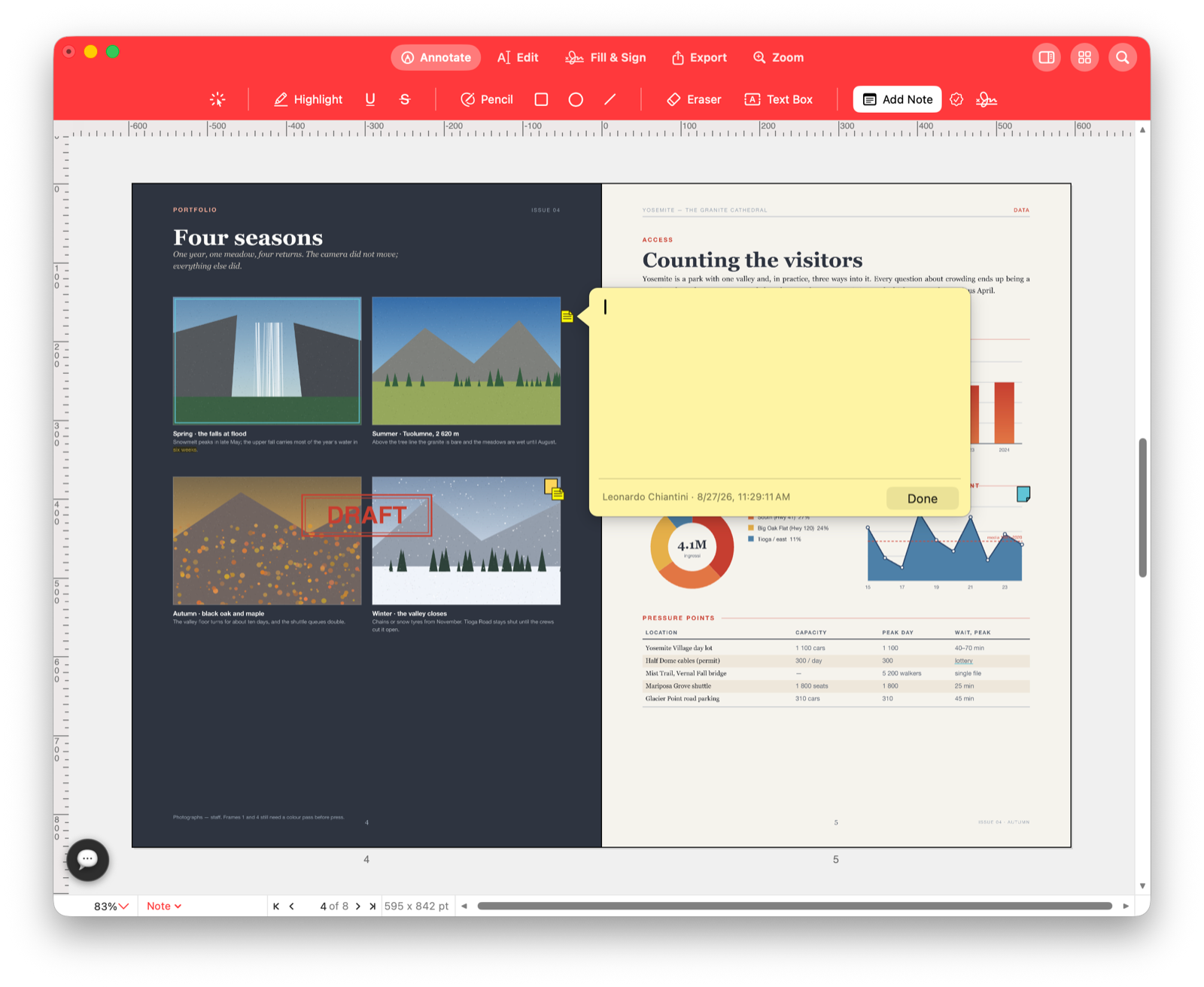
When you want review marks instead of permanent page edits, Annotate mode keeps that work separate. Drag across words for highlight, underline or strikeout — the mark follows the text, not a rectangle drawn near it. Draw with pencil or smoothed pen. Add rectangles, ellipses, lines, text boxes, sticky notes, stamps and even recorded sound notes. The eraser lights the exact mark it is about to remove, along its own stroke.
An Annotations palette lists every annotation grouped by page, like a comments panel: click a row to jump there, delete it, or edit a note's text. Every mark is one undo step, and the page underneath is untouched.
Pages and bookmarks
Reorder pages by dragging, duplicate them, rotate, crop with a live preview, extract pages into a new PDF and merge another PDF in exactly where you want it. Organize Pages shows the whole document as a thumbnail grid that zooms and pans like the document itself. Bates numbering, headers and footers with page and date placeholders, and watermarks — removable or baked in front of or behind the page, your choice — cover the paperwork.
Bookmarks are fully editable: create one that captures the view you are looking at, rename it, nest it, re-point it, delete it — each a single undo step. Bookmarked pages carry a small badge in the page sidebar.
Forms
Fields light up under the pointer. Click to type, tick a checkbox, choose a radio button, pick from a list, and use Tab to follow the document's own field order. For documents without fields, type directly onto the page.
Signing
Your signature library holds signatures made four ways: draw one with the trackpad, type one in a handwriting face, take a photo of your signature on paper — the paper is made transparent and the ink kept — or snap that photo directly with your iPhone and have it land in the library already cleaned up. It also keeps initials for the small “initial here” boxes, and signer profiles — the name, title, company and date block that sits under a signature on a business document, saved once, placed like a signature.
Open a form and the places a signature belongs are outlined on the page — real signature fields and the “Sign here” lines of common paper forms. Click one and your signature drops in fitted to the space, with the date filled in beside it in the same step if you ask. Sign Every Spot walks a document's signing spots one by one in reading order: Return places, arrow keys skip or step back, Escape stops. A signature can be placed in its original ink, black, dark red — or blue, the way a bank tells an original from a photocopy.
Placed signatures become part of the page itself, so every save and every export carries them for every reader — no PDF viewer can lose them.
Certificate (digital) signatures
Beyond the picture of a signature, the app signs documents cryptographically. Pick a digital ID from your keychain or create one on the spot — the app is plain that a self-signed ID will read as “unknown signer” elsewhere — choose how it shows on the page, and a signed copy is written and re-verified before the app uses the word “signed”.
Opening any signed document checks its signature: the badge at the bottom of the window says Signed, Signed · unknown signer or Changed since signing, and clicking it gives a verdict on each signature. One flipped byte after signing is enough to turn the verdict — that is the point.
Redaction and OCR
Redaction works in two stages so you can review before anything is destroyed: mark words or areas, then apply — and applying is real: the hidden text is removed from the file, not covered by a black rectangle someone could delete. OCR recognizes text in scans so pages become searchable and copyable; pages that already contain text are skipped, and the app tells you how many, to avoid duplicate garbled layers.
Color and print
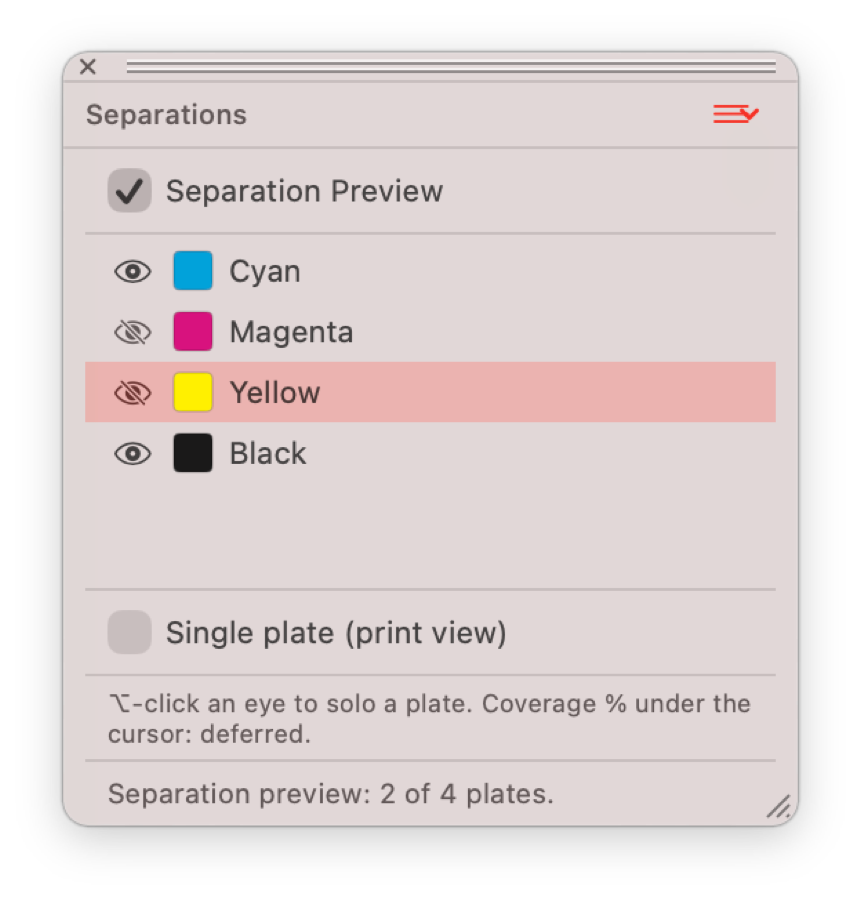
Pdf Editor Pro understands RGB, CMYK and named spot inks with tints. It detects the inks a document uses, previews each printing plate on its own in the Separations palette and opens a document in the color mode it was built for.
Export and saving
Export as PDF, compressed PDF — with real numbers, the resulting file size and a before/after page preview shown before anything is written — PNG, JPEG, TIFF or Word DOCX, share with the macOS share sheet, or print. Exporting never changes the document you have open.
Every action is one labelled undo step. Saving appends changes to the original PDF structure: an untouched document remains byte-for-byte the file you opened, and an existing digital signature survives a Save.
Document info and accessibility
A Document Info palette shows everything about the file — PDF version, page sizes, metadata, encryption, the full font census and the colour spaces used. A Tags palette exposes the document's reading structure for screen readers, its language, and editable alternative text for the selected element. A badge in the status bar tells you when non-embedded fonts are being shown with substitutes.
AI assistant workflow
An AI Console lives in the app — bring your own Claude, OpenAI or Gemini key or use the built-in engine — and knows what the app can really do. Through MCP, external assistants such as Claude Desktop can drive the app themselves: open a document, read pages, search text, rewrite and restyle PDF text, annotate every occurrence of a word, place images, manage pages, fill fields, watermark, render pages and undo any of it. It is the same machinery the buttons use. The app is also AppleScript-able, behind the same permission switch.